

Last Updated on October 9, 2025 by The Official Game Rules Team
2–4 Players | 90–150 Minutes | Ages 14+
In Pilgrim, players lead a medieval abbey, managing acolytes, constructing roads, and expanding religious influence across the land. The goal is to earn the most Victory Points (VP) by the end of 26 rounds through clever resource management, building development, and spiritual progress.
Each round, players take one action turn, moving acolytes to perform duties or collect tithes. These actions allow you to produce resources, construct roads, donate buildings, and spread faith across the map. This page provides a clear breadown of the Pilgrim rules and how to play:
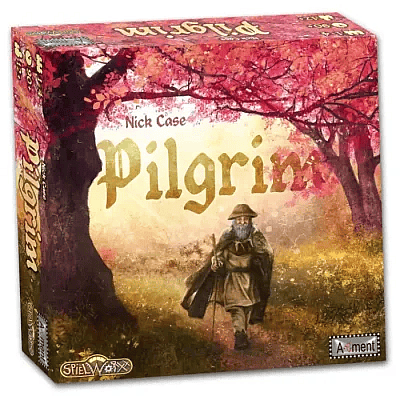
How to Play Pilgrim (Complete Rules Guide)
We’ve done our best to compile and summarize the rules so they are easy to follow, however if you have any questions or are confused, please refer to the official rulebook at the top of the page.
Game Components
- 1 Map Board
- 1 Alms Table
- 1 Piety Track
- 4 Player Boards
- 8 Duty Tiles
- 9 Pilgrimage Site Tiles
- 8 Shrine Tiles
- 60 Road, Bridge, Ford, and Upgrade Tiles
- 24 Building Tiles (8 per level)
- 6 Cardinal Favour Tiles
- 7 Tithe Counters
- 64 Acolytes (16 in each player color)
- 8 Player Counters (2 per color)
- 25 Stone Cubes
- 25 Grain Cubes
- 37 Coins (31 × 1 Groat, 6 × 3 Groat)
- 1 Ship Round Token
- 1 First Player Token
- 1 Merchant Token
- 30 Solo Counters
- 1 Die
- 1 Cloth Bag
- Rulebooks (English and German)
- Player Aid Sheets
Map Board Setup
- Place the Map Board in the center of the table. The rivers flow outward from the city as shown by the arrows.
- Shuffle and Place Duty Tiles around the board at the eight compass points, with the pointed ends facing clockwise.
- Add Tithe Counters — randomly place one (face up) beneath each Duty Tile except for Taxation.
- Place Pilgrimage Sites — roll the die to determine their location, placing one site in each quadrant of the board. The remaining tiles are returned to the box.
- Place the Ship Marker on the northwest Pilgrimage Site — this marks the start of Round 1.
- Place Building Tiles —
- Draw 4 blue (Level 1) buildings and place them face up along the outer perimeter, skipping one empty hex between them.
- Then place 4 red (Level 2) buildings after the northeast Pilgrimage Site, also skipping one space.
- Finally, place 4 green (Level 3) buildings beyond the southeast site.
- Set the Merchant token beside the Taxation Duty tile.
- Display Cardinal Favours face up in a row beside the map.
- Form the Supply:
- 4 straight roads, 4 gentle curves, and 2 tight curves per player.
- 2 shrines per player.
- All bridges, fords, and upgrades form open stacks.
- Set the Piety Track: Each player places one counter on space 0.
- Set the Alms Table: Place each player’s second counter at the 0 space in their color column.

Player Setup
Each player receives:
- 1 Player Board
- 8 serfs (meeples) placed in the village
- 3 acolytes placed in the abbey
- 1 stone, 1 grain, and 1 coin
- 5 acolytes placed in the city (central map space)
Seeding the Board
Starting with the first player and moving clockwise, each player takes turns placing their 5 acolytes from the city onto Duty Tiles following the river flow and arrows on the map.
Multiple acolyte colors can occupy the same Duty Tile. Once all players have placed their acolytes, the game begins.
Gameplay
Each of the 26 rounds follows this sequence:
- The active player chooses a Duty Tile or the city containing one or more of their acolytes.
- Move acolytes clockwise around the board from that position, dropping one on each space passed.
- Choose one Duty to perform or take a Tithe.
- Activate any eligible building bonuses.
- Play continues clockwise until all players have taken a turn.

Example of Tithe.
Duties and Actions
Each Duty Tile allows one of several specific actions. The Duty Value (1 or 2) depends on whether the player holds the majority of acolytes on that tile.
1. Allocation
Reposition 1–2 acolytes between the abbey and Special Activities on your player board.
(Only one acolyte may occupy a Special Activity at once.)
2. Build Roads
Spend stone to build or upgrade roads, bridges, or fords—or demolish existing ones.
See “Roads & Shrines” for details.
3. Clerical
Choose Devotion to gain Piety equal to your Duty Value, or Silversmith to gain coins instead.
4. Construct
Build one building and/or construct or upgrade a road.
Buildings are selected from the map perimeter and placed on your board.
5. Give Alms
Spend coins and/or grain equal to your Duty Value to move up the Alms Table, or donate a building for end-game points.

6. Ordination
Pay 1 grain per action to either:
- Ordain: Move a serf from your village to the abbey (now an acolyte).
- Mission: Move an acolyte from the abbey to the city.
7. Produce
Choose grain or stone and collect an amount equal to your Duty Value.
8. Taxation
Take 1 resource of your choice.
Then, if you hold a majority on any other Duties, collect up to two more resources based on their Tithe counters.
Buildings
A building becomes ‘live’ once the Ship round marker reaches or passes its location on the map. Live buildings can be constructed using the Construct Duty action, costing 1 stone per level (2, 3, or 4). For instance, when the marker hits the Quarry in round 4, it’s live for construction or hiring, but the adjacent Chapel isn’t live until round 5. Once constructed, the tile is placed on the player’s Player Board, the bonus action is immediately active, and the space it vacated on the map is now free for road or shrine construction. Buildings cannot be discarded or built over, but they can be donated via the Give Alms action to immediately flip for their end-game Victory Points, though they become inactive and cannot be used or hired afterward.
Building Usage and Hiring
Any player can use any live building as a bonus action once per turn. To use a live building owned by another player, the user must pay a trade resource fee to the owner. This fee is determined by the Tithe counter on the Duty tile where the Merchant meeple is currently located. Players are encouraged to announce their buildings to earn these fees. If a live building is still on the map (unconstructed), it can also be hired, but the fee is paid to the general supply. A crucial exception is when the Merchant is on the Taxation Duty tile; during this round, no buildings may be hired, though owners can still use their own buildings.

Building Types

Special Activities
Special Activities enhance related Duties while occupied by an acolyte.
- Fields: +1 Grain when producing grain.
- Stone Mason: +1 Stone when producing stone.
- Alms House: +1 Duty Value when giving alms.
- Engraver: +1 Coin when using Silversmith.
- Vestry: +1 Piety when using Devotion.
- Road Engineer: +1 Duty Value when building or upgrading roads.
Roads, Shrines, and Trails
Road Building
Roads connect the city to shrines, pilgrimage sites, or market ports.
- Cost: 1 stone for standard roads, 2 for upgrades.
- Each route must start at the city and be owned by an acolyte.
- A route ending at a shrine, pilgrimage site, or port is closed and eligible for scoring.
Shrines
Shrines are built using 1 stone + Piety equal to the number of existing shrines on that trail.
They enhance the value of Pilgrim Trails and are required to “close” them for points.
Pilgrim Trails
A connected series of roads leading from the city to shrines or a pilgrimage site.
- Closed trails score VP at game end.
- Connecting to a pilgrimage site consecrates the trail and may earn Cardinal Favour.
Cardinal’s Favour
The first player to complete a consecrated trail of length 3–8 tiles claims the matching Favour Tile, worth 4–10 VP.
The Merchant and Alms Table
At the end of each round, the Merchant moves clockwise to the next Duty Tile.
The Tithe counter there determines:
- The trade resource used for hiring live buildings.
- The resource type earned from Trade Routes.
The Alms Table tracks generosity. Reaching certain rows grants bonuses like free ordination or acolyte movement. The player highest on the Alms Table at each season’s end scores end-game VP.
End of the Round
After every player has taken a turn:
- Discard excess resources (max 6 of each).
- Move the Ship Round marker one hex clockwise.
- Resolve any season-end Alms Table bonuses.
- Move the Merchant to the next Duty Tile.
- Determine the next Start Player (highest Piety).
Game End and Scoring
The game ends after 26 rounds when the Ship marker returns to the northwest Pilgrimage Site.
Final Scoring:
- 1 VP per acolyte in the abbey, city, or on Duties.
- Pilgrim Trails: Score based on roads × number of shrines connected.
- Pilgrimage Sites: 4–7 VP each.
- Piety Track: –5 to +9 VP.
- Alms Table: 5–26 VP depending on rank.
- Donated Buildings: 2/4/6 VP per flipped tile.
- Cardinal Favours: 4–10 VP each.
- Resources: 1 VP per 3 resources (rounded down).
The player with the highest total is declared the new Cardinal and wins the game.

Strategy Tips
- Balance your resources — running out of stone or grain will halt your progress.
- Build early roads to establish profitable trade routes and access pilgrimage sites faster.
- Use Special Activities wisely — placing an acolyte there early pays long-term dividends.
- Donate buildings strategically — timing donations can boost Alms Table position and free up valuable turns.
- Focus your Piety — high piety offers flexibility and end-game scoring advantages.
Pilgrim FAQ
Yes. Any number of acolytes from different players can share a Duty Tile.
No. Each player’s roads are unique and cannot overlap unless using an Upgrade tile.
Immediately upon completing a consecrated trail of the exact length shown on the tile.
No. Donated (flipped) buildings are worth points but lose their abilities.
You must Oblate, moving a serf from your village to your abbey instead of taking a turn.
Conclusion
The key to the Pilgrim rules and how to play Pilgrim centers on mastering the unique Mancala movement mechanism for action selection. On your turn, you will move your acolytes from either the Abbey or the City around the Duty tiles to trigger actions like resource management (gaining Stone, Grain, or Coin), ordaining serfs to increase your acolyte pool, and constructing buildings on the map. These buildings are crucial as they grant immediate bonus actions and can be hired by other players using the Merchant piece, creating intense player interaction.
Ultimately, your strategy must focus on a zero randomness approach to accumulating Victory Points by efficiently building Pilgrim Trails, advancing on the Alms Table, and maintaining a majority of acolytes on the various Duties to generate powerful effects and succeed the cardinal.
Browse Related Games!
 Official Targi Rules
 Official Codenames: Duet Rules
 Official Scattergories Rules
 Official Magnetic Chess Game with Stones Rules
 Official Power Grid Rules
 Official The Night Cage Rules
 Official Root Rules
 Official The Lord of The Rings: Duel for Middle-Earth Rules
 Official Jinx Rules
 Official Gaia Project Rules
 Official Santorini Rules
 Official Mancala Rules